Features & Functions
The EZ LYNK Auto Agent 3 offers a broad set of advanced tuning and diagnostics features:
Cloud-Based Communication: The device automatically syncs with the EZLYNK Cloud, eliminating manual file transfers. Your tuner can send new calibration files over-the-air, and you can upload vehicle datalogs directly to your technician’s database. No emailing of files or SD cards.
Real-Time Data & Virtual Gauges: When connected, the AutoAgent 3 streams live engine sensor data to your smartphone app. The Auto Agent app displays this on clean, customizable virtual gauges and graphs, with adjustable alarms if parameters exceed set limits. You can switch between analog gauge view, digital tiles, or line graphs to monitor boost, temp, fuel, DEF level, and more in real time.
Diagnostic Scan Tool: Via the app, you can read and clear Diagnostic Trouble Codes (DTCs) directly from the ECU. All trouble codes explained in plain language so you can understand engine faults and clear codes after repairs.
Data Logging / ELD Support: The AutoAgent 3 continuously logs engine and transmission data. It locally stores the last 24 hours and most recent 7 days of data. Users can capture long-term “Electronic Logging Device” (ELD) records, with up to 6 months of historical data stored in the cloud. This is useful for tracking fleet compliance or tuning changes over time.
Wireless Flashing of Tunes: Custom ECM calibrations are applied wirelessly. After your tuner uploads a calibration to your EZLYNK Cloud account, simply use the app to download and install it via the AutoAgent’s connection. Unlimited re-flashes are supported; update or tweak your tune files at any time.
Vehicle Profile & Customizations: The app includes an on-screen ECU profile editor. You can adjust user-configurable settings such as tire size, speedometer calibration, high beam behavior, fog light usage, fuel tank volume, TPMS, and more.
Automatic Firmware Updates: The AutoAgent 3 firmware updates itself through the app, ensuring you always have the latest features and fixes. No PC or manual download is needed.
Smartphone Compatibility : Simply download the app (free on App Store/Google Play) to operate the device.
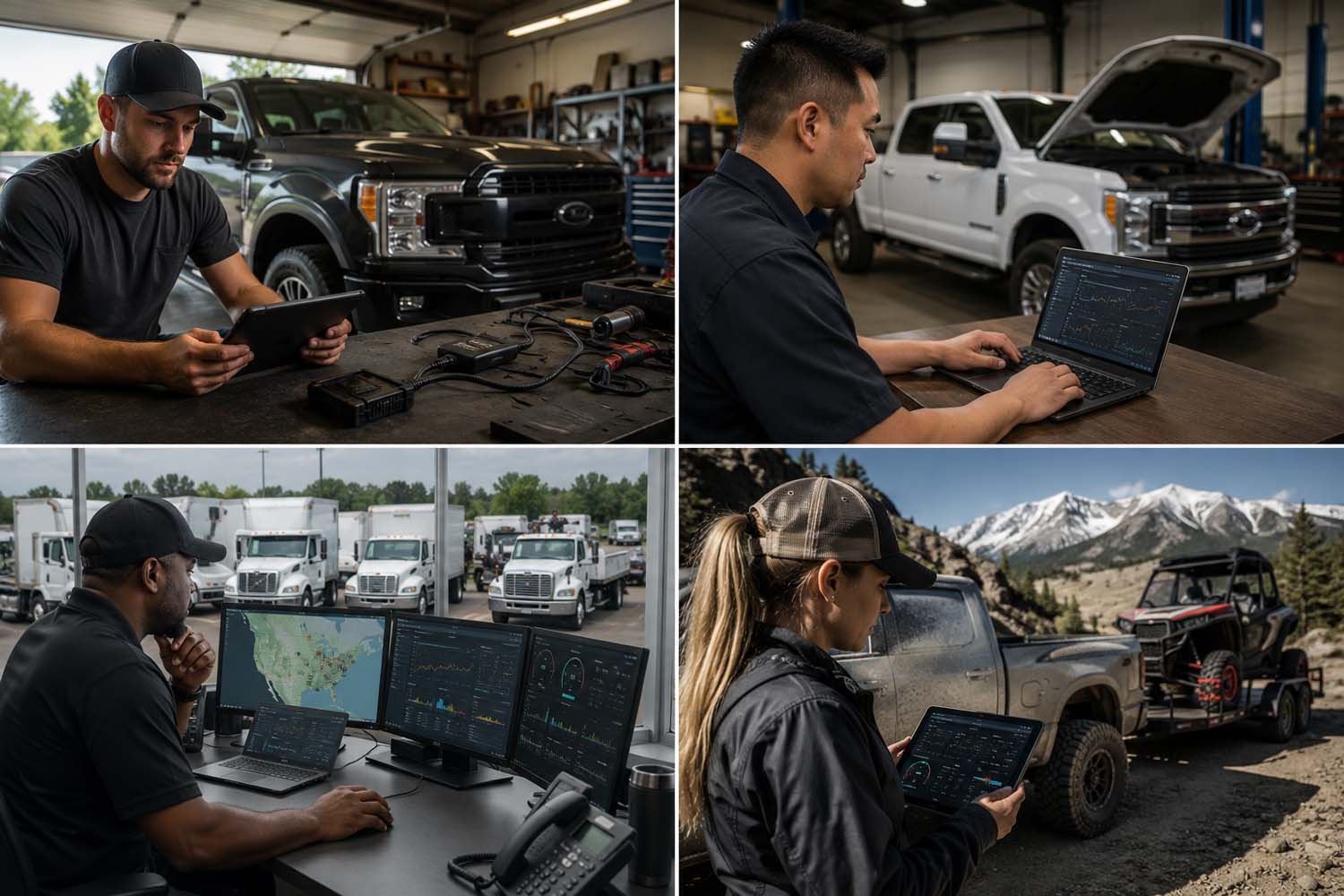
Who Is AutoAgent 3 For?
Diesel Truck Owners & Enthusiasts : Anyone running custom tunes on their PowerStroke, Duramax, Cummins, EcoDiesel or others can flash tunes and monitor their rigs right in their own garage.
Performance Shops & Tuners : Manage customer trucks remotely. Installers can send new tunes and receive datalogs from anywhere, reducing the need for shop visits.
Fleet Managers & Commercial Drivers : If your company needs ELD compliance or remote diagnostics (e.g. tow trucks, delivery fleets), you can use its logging features to track engine performance over months. Simply buy one device per truck and manage all profiles online.
Towing / Off‑Road Enthusiasts : Tow heavy loads or run off‑road builds and get real‑time monitoring with quick tune adjustments for changing conditions.
Installation & Usage Instructions
1. Boot the ECM: Before plugging in, place the ignition key in the RUN position. This wakes up the ECU with engine off.
2. Connect to OBD-II: Insert the AutoAgent 3 into the vehicle’s OBD-II port under the dashboard. The device powers on (green LED) and establishes a Wi-Fi network (blue LED).
3. Verify LEDs: Wait for a solid green light and then a solid blue light. If only green appears, unplug and replug the unit to reset it.
4. Join Wi-Fi: On your smartphone, go to Wi-Fi settings and connect to the network named “EZLYNK_XXXX”. The “No Internet” warning is expected; this network links only to the vehicle. Do not connect to external internet yet.
5. Launch the App: Open the EZ LYNK AutoAgent app. It should show your vehicle as “Connected.” If it doesn’t, check the LEDs and key position, then refresh the app connection.
6. Link to a Technician: If this is first-time use, the app will prompt you to “lynk” your vehicle to a technician. Follow the in-app steps to pair with your tuner’s cloud account.
7. Update Firmware: The app may prompt for a firmware update. If so, follow on-screen instructions. It should be automatic; if interrupted, unplug and replug and reconnect.
8. Use the Tool: Within the app, you can now read DTCs, view live gauges, record logs, and flash custom tunes if your tuner has uploaded a profile. To flash a tune, fetch it from the cloud within the app and apply; the status will show 0–100% as it installs.
Package Contents
1. EZ LYNK Auto Agent 3 Device
Important Notices
TUNE FILES NOT INCLUDED: This product is sold as a blank AutoAgent 3. It does not come with any preloaded calibrations or tune files. Tune packages are sold separately. Without a valid tune file applied, the AutoAgent will only function as a diagnostics & data logging tool.
Technician Link Required: Before you can flash any tune, the device must be “lynked” with your chosen technician’s EZLYNK cloud account. This security step ensures only authorized calibrators can send profile updates to your vehicle.
Cable Compatibility: Do not use EZ LYNK AutoAgent 3 with the older EZ Titan or EZ Cummins security bypass cables. A standard OBD-II cable (included) must be used. Special support cables are available separately for some models.
Regulatory Use: Ensure compliance with local emissions and safety laws. EZ LYNK provides the interface, but your tuner’s calibrations govern emissions or performance.
Looking for Custom Tuning?
The EZ LYNK Auto Agent 3 is a tuning platform and does not include tuning files. If you need custom tuning for your vehicle, explore our available EZ LYNK tuning files.
Explore Tuning Files →


 Add to Wish List